
En general, tanto el servidor como el host virtual se pueden configurar directamente.301 Redirección(Esto es301 SaltoNo es necesario escribir código adicional para la configuración.
Sin embargo, ¿qué pasa si no desea implementar una redirección 301 en un servidor o un host web?

UtilizamosZ-blogPHPEl programa hace un ejemplo del sitio web.
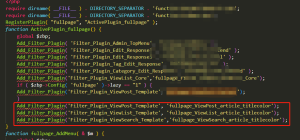
El tema del sitio web del programa Z-blogPHP utiliza un archivo de plantilla de encabezado uniforme header.php
La ruta de header.php - - directorio raíz / zb _ users / theme / theme id / template /
Después de encontrar el archivo header.php, ¡simplemente agregue nuestro código en header.php!
La primera forma:
Implementar la redirección de finchui.com a www.finchui.com
Este método se usa a menudo para nuevos sitios web.
El código es el siguiente:
{php}
if (strpos($_SERVER['HTTP_HOST'], 'www.finchui.com') === false) {
    header("HTTP/1.1 301 Moved Permanently");
    header("Location: http://www.finchui.com");
    exit();
}
{/php}
El segundo método:
No solo se realiza el salto de finchui.com a www.finchui.com.
También implementar el acceso, por ejemplo: finchui.com/zbp-theme/62.html, finchui.com/zbp-theme/ redireccionar a www.finchui.com/zbp-theme/62.html y www.finchui.com/zbp-theme/62.html.
En pocas palabras, el método de cambio solo cambia el nombre de dominio principal, y la parte del sufijo de la URL permanecerá sin cambios.
Este método se utiliza a menudo para que las URLs antiguas ya hayan sido incluidas en muchos motores de búsqueda, con el fin de transferir el peso del nombre de dominio antiguo al nuevo.
El código es el siguiente:
{php}
$redirectHost = 'www.finchui.com;
if (strpos($_SERVER['HTTP_HOST'], $redirectHost) === false) {
    $redirectURL = 'http://' . $redirectHost . $_SERVER['REQUEST_URI'];
    header("HTTP/1.1 301 Moved Permanently");
    header("Location: $redirectURL");
    exit();
}
{/php}
El ejemplo anterior utiliza el nombre de dominio de mi sitio web, mientras que mi sitio web simplemente ha hecho un salto simple de finchui.com a www.finchui.com, sin sufijos URL.










 Agregue qq de servicio al cliente.
Comentarios de internautas